
Module 2
Website Agency Lead Magnet
This module is designed for agencies that want to turn a simple lead form into an instant personalized website preview. It is not mainly used to fill an existing website. Its purpose is to impress leads and create a strong reason to book a call, reply, or continue the sales process.
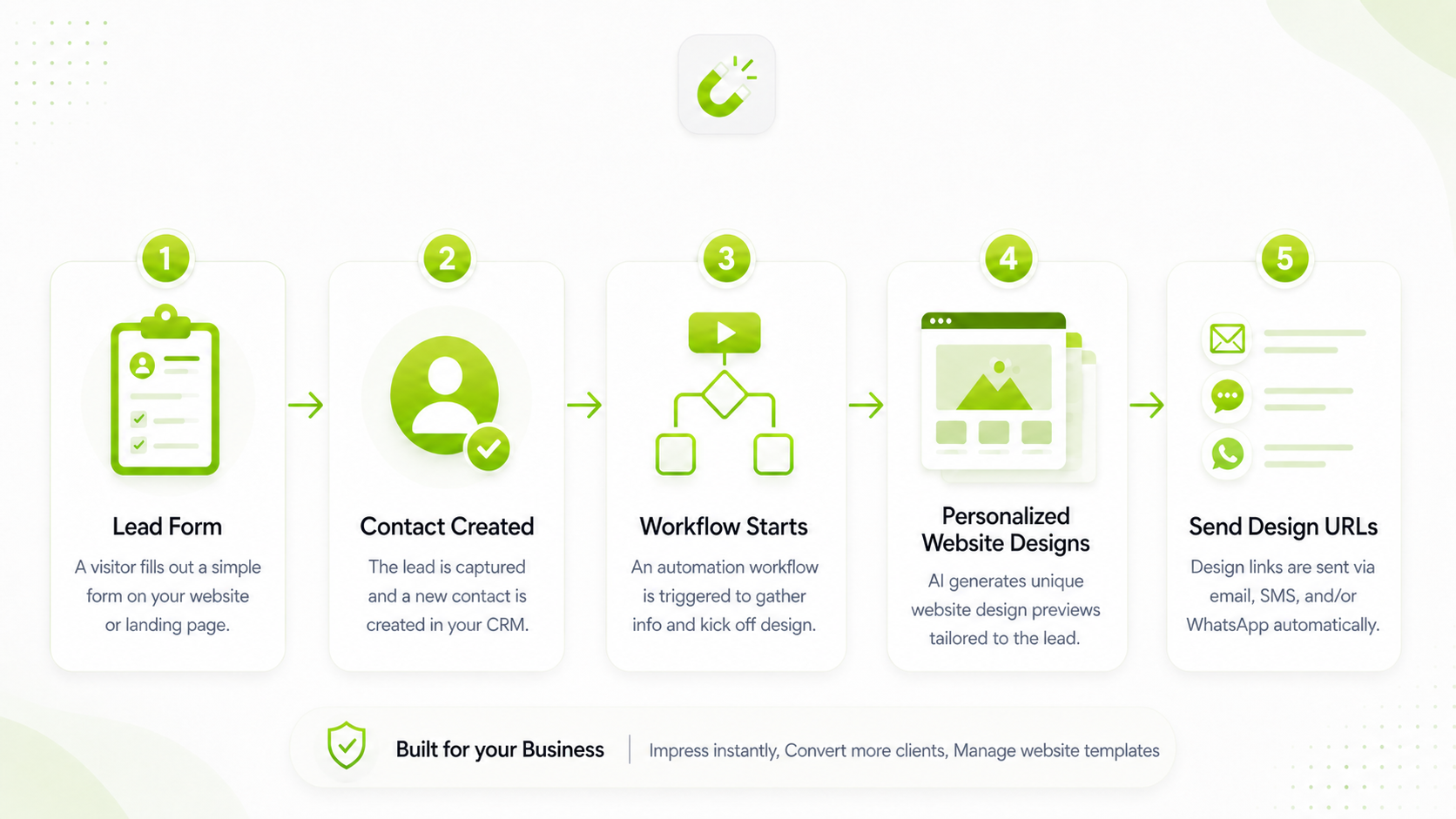
Lead form fields
Recommended input fields for Module 2
The lead magnet works best when the form collects enough business context, but not so much that the lead abandons the form.
Recommended input fields
- First name and email
- Phone number, if follow-up by call or WhatsApp is planned
- Business name or website name
- Industry or niche
- Three services or products
- Short business description
- Preferred colors and language
- Optional logo upload or existing website URL
Email example
Subject: Your personalized website design is ready

Hi {{contact.first_name}},

your personalized website design preview is ready.

Design 1:
{{contact.templateflow_design_url_1}}

Design 2:
{{contact.templateflow_design_url_2}}

You can review the designs and reply to this email if you want us to customize one of them for your business.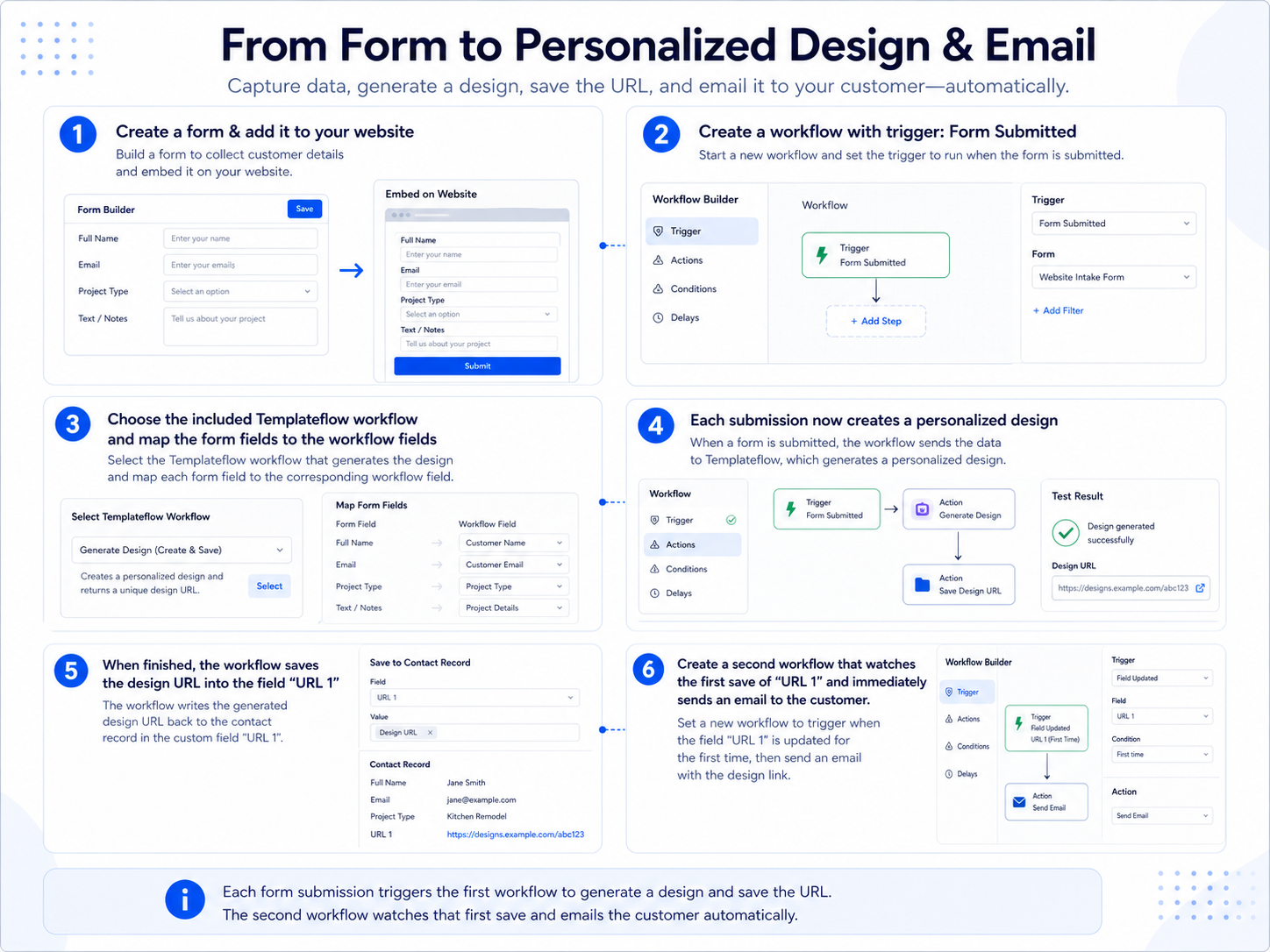
Best practices
Build a strong Website Agency Lead Magnet
Keep the form short
Ask only for the information needed to create a meaningful first design. Long forms reduce conversion rates.
Use a clear promise
Use a direct offer such as “Get your new website design in 3 minutes” so the lead understands the value immediately.
Follow up fast
Send the design links immediately and add a call-to-action, for example booking a call or replying with design feedback.
Generate two designs
Two options increase perceived value and give the lead a reason to compare, choose, and respond.
Use status fields
Save a generation status such as pending, ready, or failed. This makes follow-up workflows easier and safer.
Use fallback messages
If generation takes longer or fails, send a helpful message instead of leaving the lead without a response.