Business Lead Magnet
This module is designed for businesses that want to turn a simple lead form into an instant personalized website preview. It is not mainly used to fill an existing website. Its purpose is to impress leads and create a strong reason to book a call, reply, or continue the sales process.
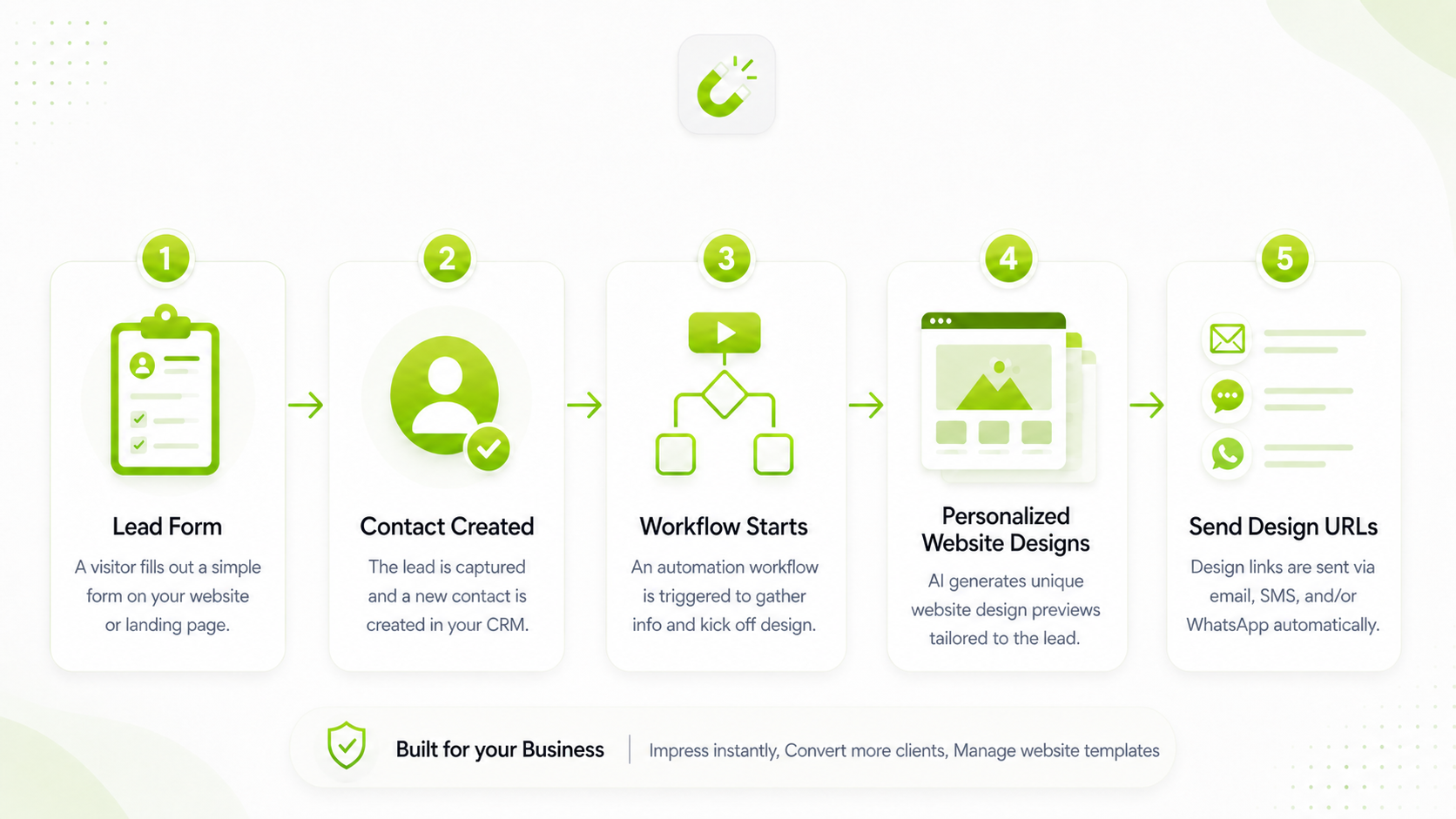
1. Create a lead form
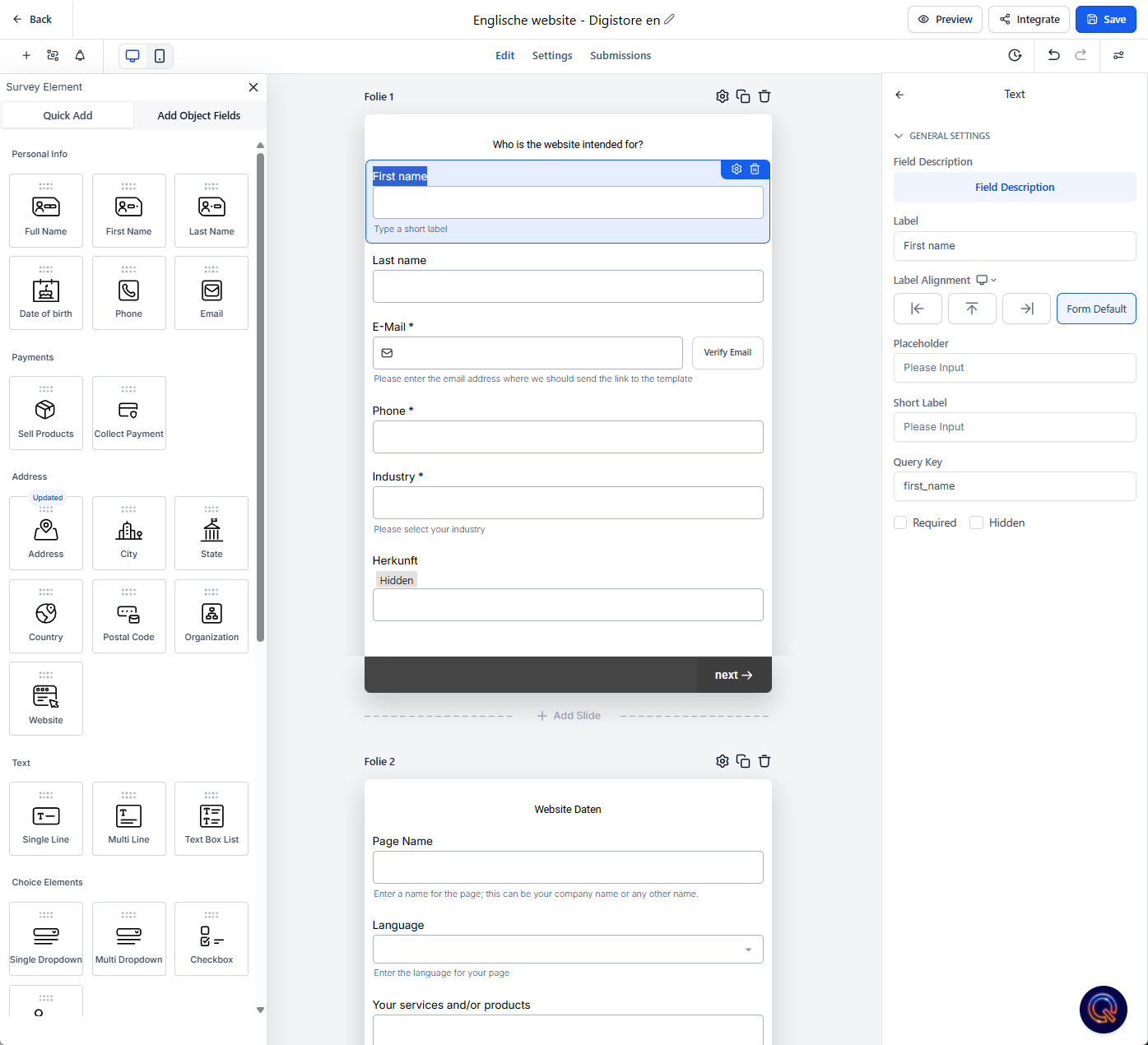
Create a form/survey for a funnel, landing page, website, or advertising campaign. The form should ask for enough business information to generate a meaningful website design.
Recommended input fields
- First name and email*
- Phone number, if follow-up by call or WhatsApp is planned
- Business name or website name*
- Industry or niche*
- Three services or products*
- Short business description
- Preferred colors and language*
- Optional logo upload
Survey example
2. Create a creation worklow
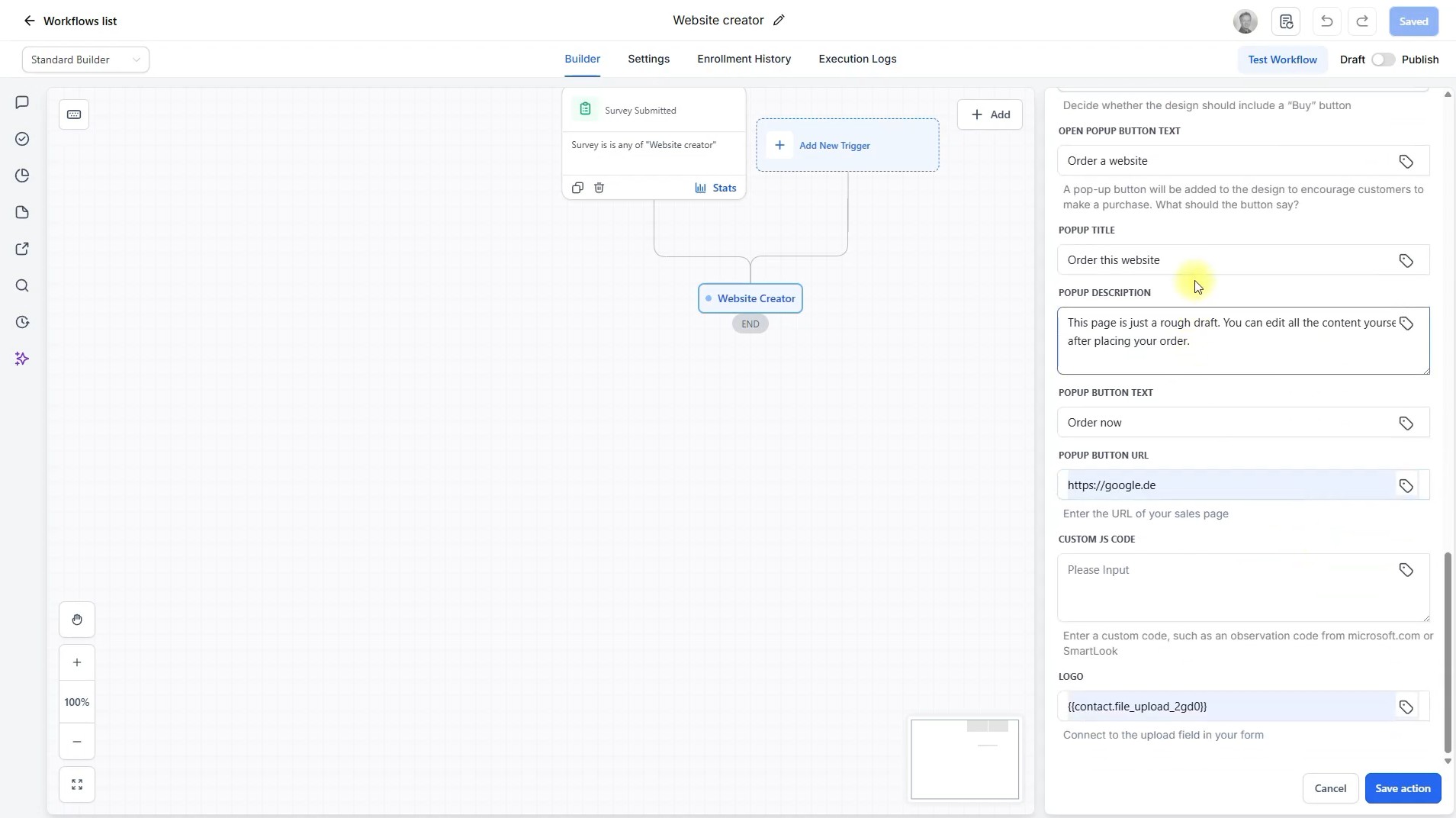
Create a workflow that is triggered when the form is submitted.
Include the website-creator action in den workflow und verbinde die Felder
Website creator workflow
- Create a workflow
- Set “Receipt of the created form” as the trigger
- Integrate the “Website Creator” action
- Map the incoming form data to the fields of the “Create Website” workflow action
- Be sure to enter the data for your sales or appointment modal
- Link the “Logo” field in Website Creator Action to the “Upload” field in your form
- Decide whether to create one or two designs
Workflow Setup Example
3. Sending workflow
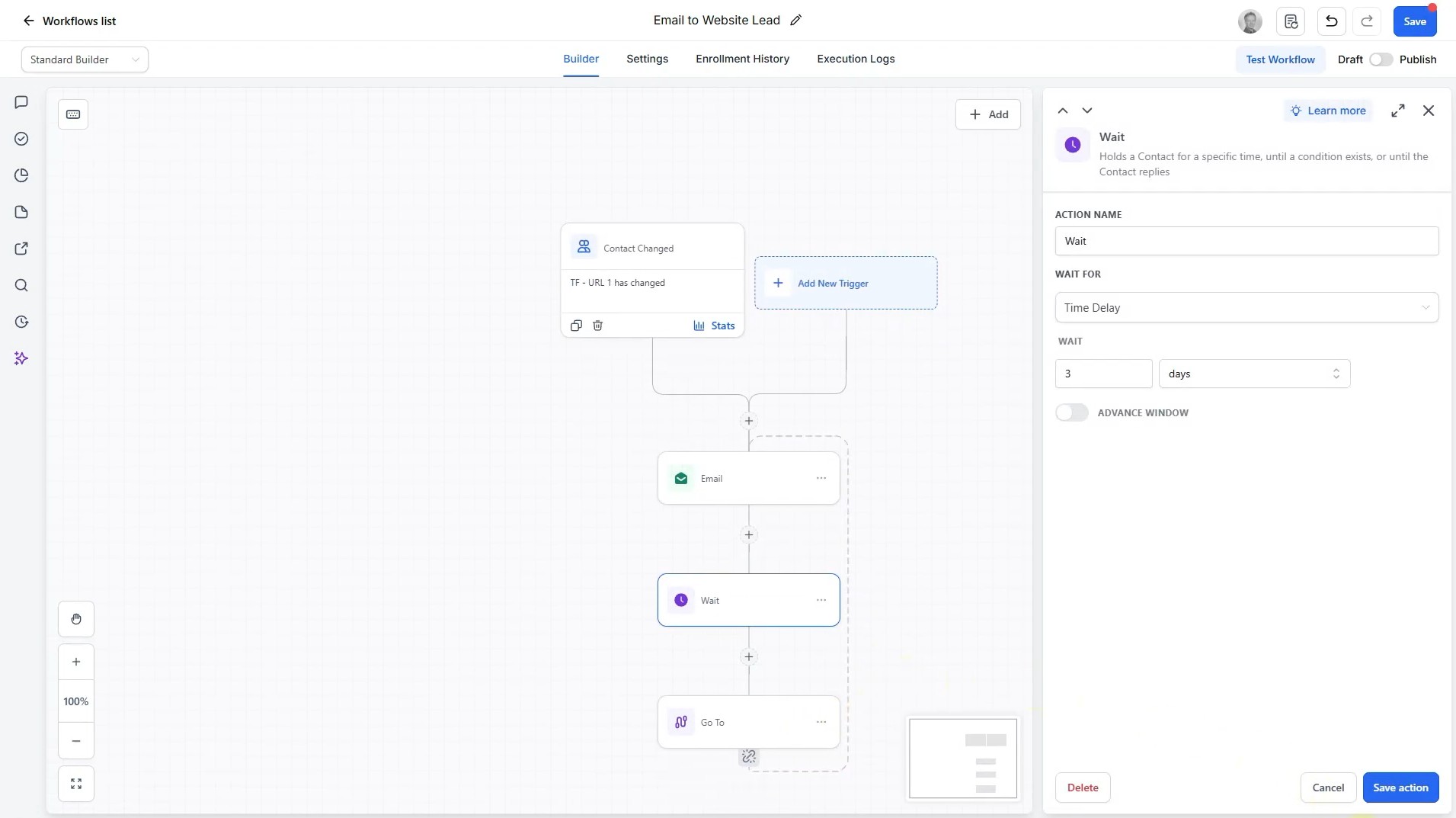
Create a second workflow that is triggered as soon as the “url 1” or “url 2” field is filled in.
Create a step that sends an email, a WhatsApp message, or makes a phone call.
Create a sending workflow
- Create a notification workflow
- Set up the workflow so that saving a URL triggers it
- Set up an email in which you provide the lead with their URL
- Make sure your email always includes a link to the designs and a link to the calendar or the sales page.
- I'd also recommend sending you a WhatsApp message
- It's best to set aside a day so you can set up other workflows
- Your workflow should be repeated. That's why I would, for example, add a loop that sends a message every 3–4 days.
Email Notification Setup Example
4. Have your website recreated in AI Studio
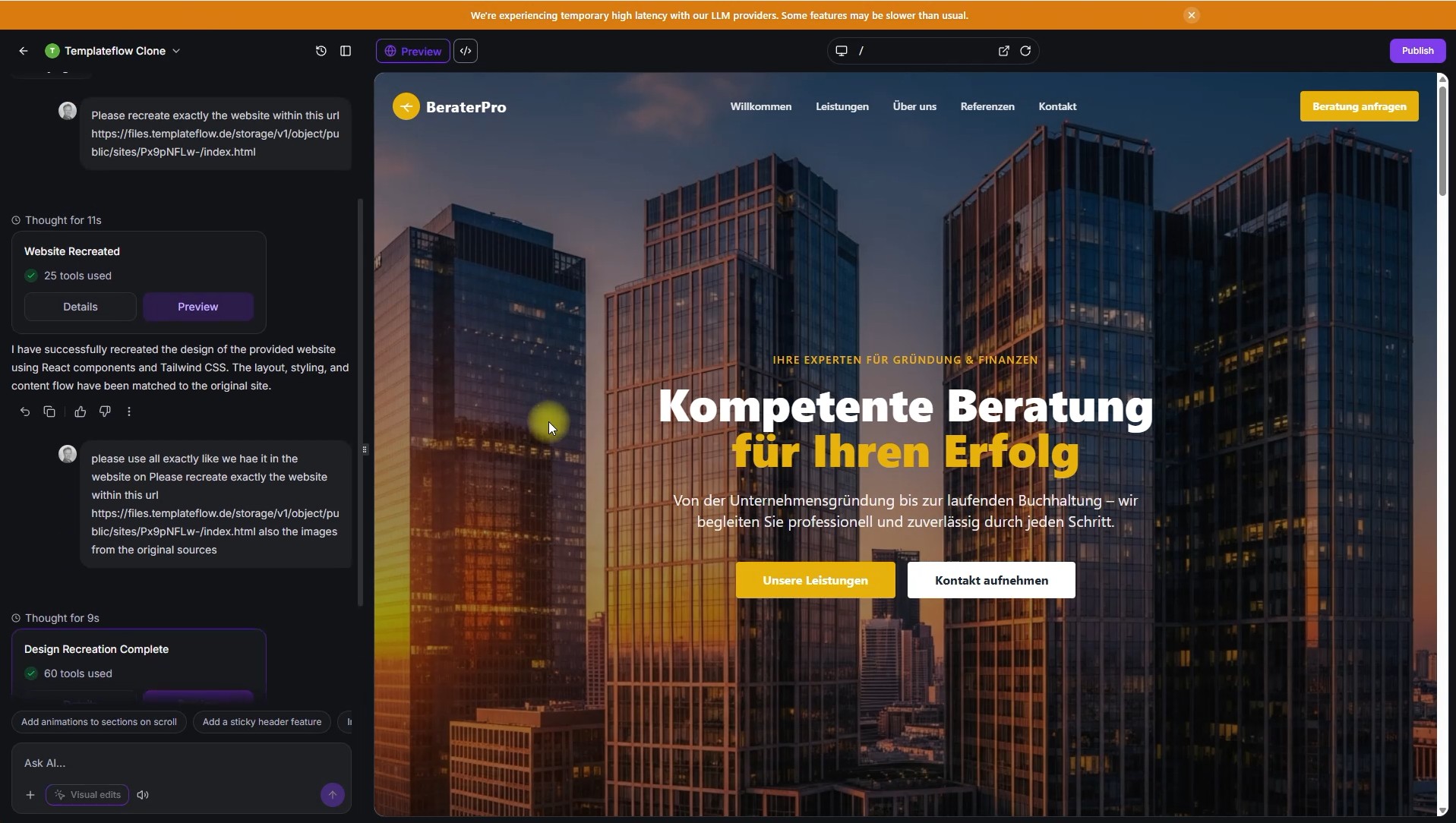
Our templates consist of just a single HTML file. This makes them ideal for recreating in AI Studio. AI Studio can pull all the necessary information from this single file. It’s amazing how similar the pages look.
Recreate The Website Design In AI Studio
- Open AI Studio
- Just enter a prompt like this: “Copy the website at this URL exactly *” Enter URL1 or URL2, depending on which one the customer prefers.
- Tell the AI to create subpages if you need them
- You can also have the account forms replicated on the website.
Example Of A Replica